How to Photograph the Moon With a Phone Through Binoculars: A Beginner's Step-by-Step Guide
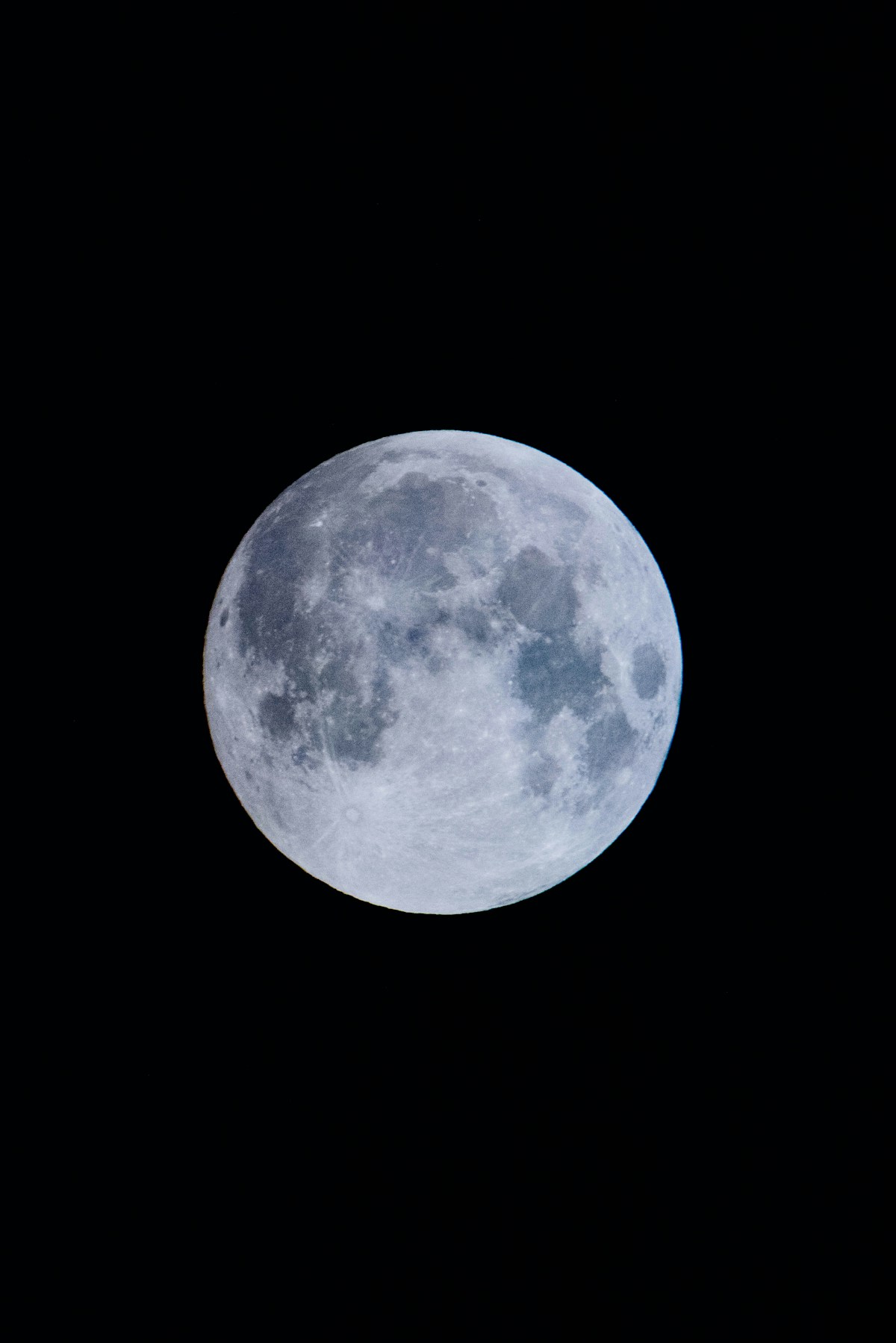
- Primary Signal: How to Photograph the Moon With a Phone Through Binoculars: A Beginner's Step-by-Step Guide
- Overview: You do not need a telescope to capture craters and texture on the Moon. With a phone, a steady pair of binoculars, and the right exposure settings, you can take a sharp lunar photo...
- Verification: Analyzed and compiled by FreeSky Cosmos editorial monitoring desk.
The Moon is one of the most forgiving subjects in night-sky photography, and it is also one of the most frustrating for beginners. Point a phone at it and you usually get a glowing white disc with no detail at all. The problem is not your phone. The Moon is lit by direct sunlight, so your camera meters for the dark sky around it and blows out the bright surface. Add a pair of binoculars, and you gain real optical magnification that digital zoom can never match, turning that white disc into a world of craters, mountains, and dark plains.
The technique is called afocal photography, and it simply means holding your phone camera up to one eyepiece of your binoculars. The binoculars do the magnifying, and the phone records what you see. You do not need expensive gear to start. Any binoculars with 8x or 10x magnification will work, and a basic phone adapter that clamps onto the eyepiece makes the whole process far easier than holding everything by hand.
Start by setting up in daylight or twilight. Mount your binoculars on a tripod if you have an adapter, or brace them firmly against a fence, a wall, or a beanbag. Focus the binoculars on a distant object such as a rooftop or a tree line, and adjust the diopter on the right eyepiece until the view is sharp for your eyes. Doing this before dark saves a lot of fumbling later, when every adjustment is harder to see.
Once the Moon is up, point the binoculars at it and refine the focus slowly. Small turns of the centre focus wheel make a big difference at this magnification, so move gently and pause to let the image settle. If you are using a phone adapter, attach your phone now and centre the camera lens over the eyepiece. You will probably see a circle of light with dark edges, known as vignetting. Slide the phone slightly, or zoom in a little on screen, until the circle fills the frame.
Exposure is where most moon photos are won or lost. Tap on the Moon on your phone screen to set focus and exposure there, then drag the exposure slider down until the bright disc turns grey and texture appears. The surface should show shading and crater detail rather than pure white. If your phone has a manual or pro mode, try a low ISO such as 100 and a fast shutter speed around 1/125 of a second as a starting point, then adjust from there.
Take the shot without touching the phone if you can. Use the volume button on wired earphones, a Bluetooth remote, or the self-timer so that pressing the screen does not shake the setup. At 8x or 10x magnification, even a tiny tremor becomes a large blur. Take several frames at slightly different exposures rather than trusting a single shot, and review them zoomed in on screen before packing up.
The phase of the Moon matters more than most beginners expect. A full Moon looks dramatic to the eye, but its flat, frontal lighting washes out craters. The first quarter and last quarter phases, when sunlight strikes the surface at an angle, throw long shadows across craters and mountain ranges and reveal far more texture. If your first attempt lands on a full Moon, try again a few nights later and compare the results.
A few common mistakes are easy to avoid. Do not use heavy digital zoom on top of the binoculars, since it only crops and softens the image. Do not shoot through a window, which adds reflections and distortion. And do not expect a perfect result on the first night. Alignment, focus, and exposure each take a little practice, but the learning curve is short, and most people see a clear improvement between their first and third attempts.
With the basics in place, you can experiment further. Free stacking apps can combine several frames into one sharper image, and shooting in RAW format gives you more room to adjust brightness and contrast later without degrading the photo. Keep your sessions short, dress warmly, and enjoy the process. The Moon is always there, patient and free, and a phone plus binoculars is genuinely enough to photograph it well.
📖 Continue Reading the Full Story
Continue reading this article on FreeSky Cosmos.
⚡ Access Full Content NowMore from FreeSky Cosmos


 📦 Free2Rich Vault
The Pay Yourself First Budgeting Method: A Step-by-Step Guide for Beginners
The pay yourself first method flips the usual budgeting order: savings leave your account on payday, and you b...
 📈 FreeRich FIRE
How to Create a Zero-Based Budget: A Step-by-Step Guide for Beginners
A zero-based budget gives every dollar of income a job before the month begins. Learn the exact steps to build...
 🗺️ FreeSky GeoData
How to Add an OpenStreetMap Basemap Layer in QGIS Step by Step
Add OpenStreetMap as a basemap in QGIS using the built-in XYZ tiles, a custom tile connection, or the QuickMap...
 ⚡ CyberTech 568
How to Turn Off AI Features on Samsung Galaxy Phones
Galaxy AI is everywhere in One UI - here is how to disable the features you do not want, one by one or in a si...